
Cancel or reactivate your account
Cancel any time. Your recipes are kept, so you can come back whenever you like.
Cancel your account
- Click Settings (), then Account, and scroll to Cancel your account.
- Click Cancel my account, read what will happen, and click Cancel my account again.
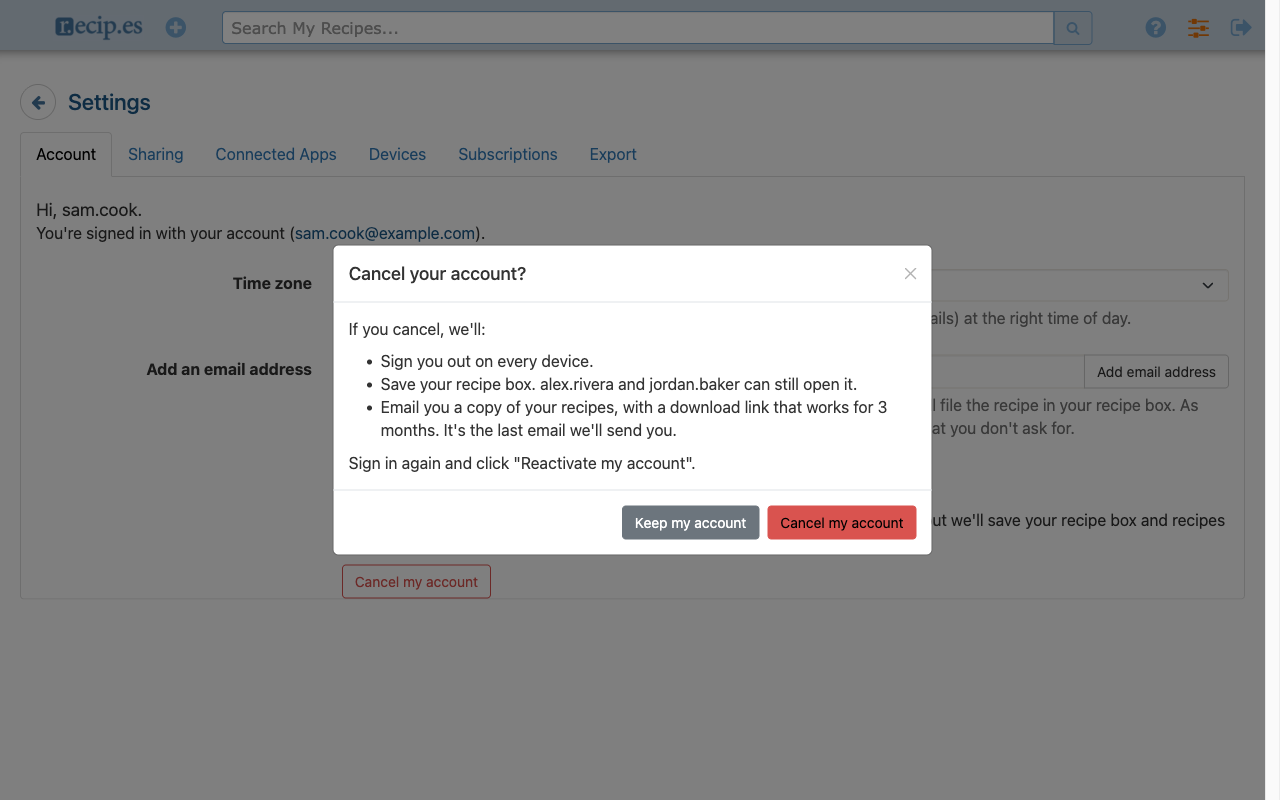
What cancelling does
- Signs you out on every device.
- Keeps your recipe box and recipes. Anyone you've shared it with can still open it.
- Disconnects Google Calendar, Google Contacts, Gmail and Kroger.
- Stops all emails. If your recipe box has 5 or more recipes, we send one last email with a download link to a copy of your recipes. It works for 3 months.
- Stops saving recipes you email to file@r.ecip.es.
Reactivate your account
Sign in with Google as usual and click Reactivate my account. Everything is where you left it. To connect your apps again, click Settings (), then Connected Apps. There's no deadline to come back.
Still stuck? Email support@r.ecip.es.